May 20, 2026

Apollo.io Review: Features, Pricing, Setup, Alternatives & Is It Worth It?

Learn how Apollo.io works for B2B lead generation and outreach. Full review, features, pricing, setup guide, and best alternatives explained.
Try Apollo.io
Click here to checkout the software

Introduction

If you are looking for a tool to find B2B leads, build prospect lists, automate outreach, and manage sales conversations in one place, Apollo.io is one of the most popular platforms to consider.

Instead of using one tool for lead data, another for email sequences, another for enrichment, and another for tracking, Apollo brings many of those workflows into one platform.

That makes it especially useful for founders, agencies, freelancers, SDR teams, and businesses that want to scale outbound sales without building a complicated tech stack.

In this Apollo.io review, we’ll cover what Apollo does, its key features, pricing, pros and cons, who it is best for, how to set it up step by step, and how it compares with tools like Bright Data and JustReachOut.

You can also try Apollo.io here.

What is Apollo.io?

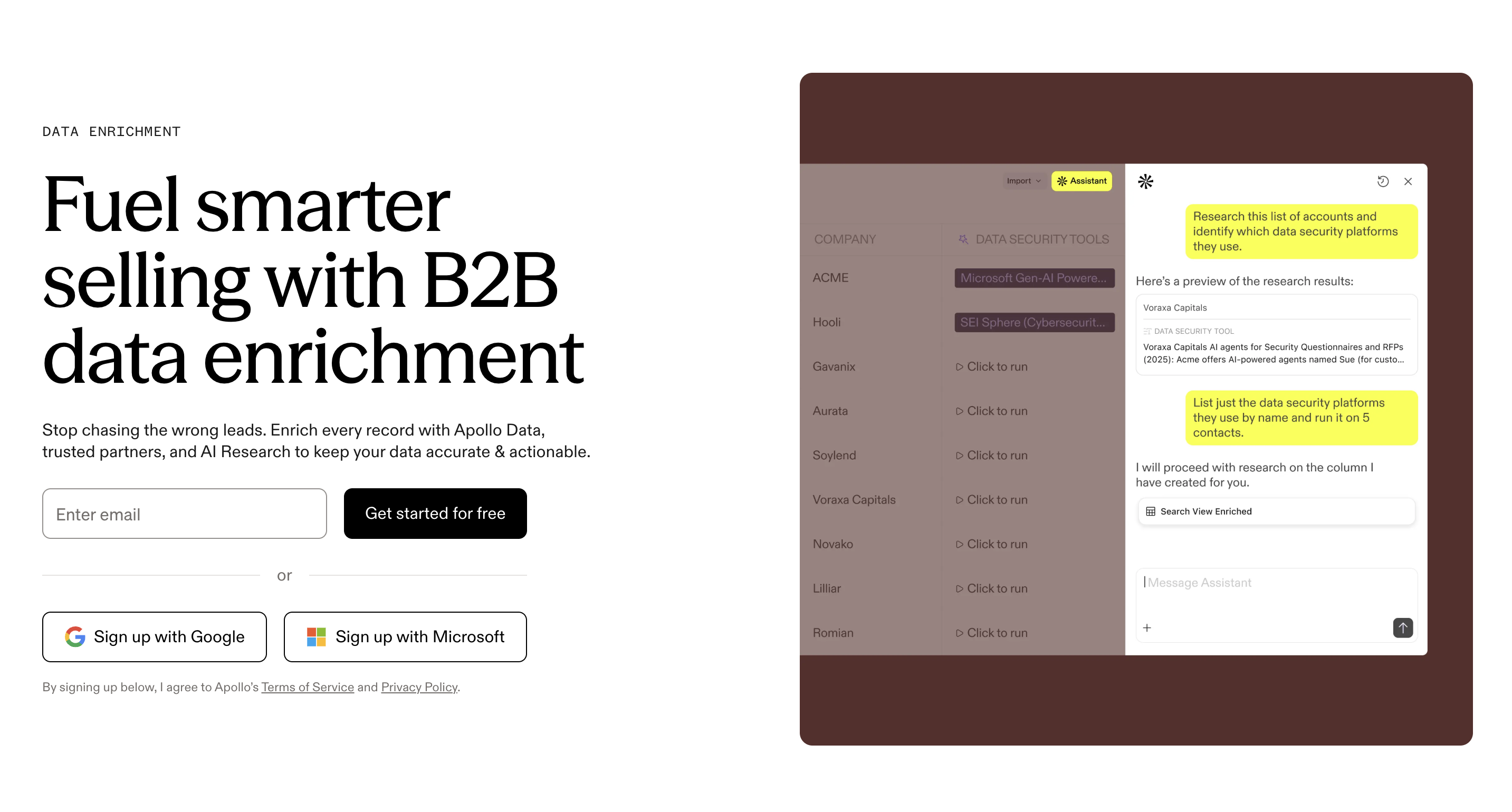
Apollo.io is a sales intelligence and engagement platform designed to help businesses find prospects, enrich lead data, run outreach campaigns, and manage outbound sales workflows.

The main value of Apollo is that it combines several important sales tasks in one place:

  • Finding relevant B2B contacts
  • Filtering leads by company, role, industry, location, and more
  • Building targeted lead lists
  • Creating email sequences
  • Tracking campaign performance
  • Integrating with sales tools and CRMs

Apollo says it supports prospecting, lead generation, deal automation, and workflow simplification for sales and marketing teams.

For someone doing outreach, this matters because the hardest part is usually not just sending emails. The hard part is finding the right people, organizing them, personalizing your message, and following up consistently.

Apollo helps bring that process together.

Apollo.io Features

1. B2B Lead Database

Apollo gives users access to a large B2B contact and company database. This is one of the main reasons people use it.

You can search for leads based on criteria like:

  • Job title
  • Industry
  • Company size
  • Location
  • Seniority
  • Department
  • Technologies used
  • Revenue range
  • Hiring signals
  • Company keywords

This makes Apollo useful if you already know your ideal customer profile.

For example, if you sell marketing automation services, you could search for marketing directors at SaaS companies with 11–50 employees in the United States or Europe.

That level of filtering helps you avoid wasting time on irrelevant leads.

2. Advanced Prospecting Filters

The filtering system is one of the most important parts of Apollo.

A basic lead list is not enough.

For outreach to work, you need relevance. Apollo lets you narrow your search so that your campaigns are aimed at the right type of person.

Useful filters may include:

  • Company headcount
  • Job title
  • Geography
  • Industry
  • Funding stage
  • Company keywords
  • Technologies used
  • Department
  • Seniority level

This is especially helpful for agencies and freelancers because they can build very specific campaigns for very specific offers.

Example:

“Founders of B2B SaaS companies with 10–50 employees who recently raised funding.”

That is much stronger than simply emailing “business owners.”

3. Email Outreach Sequences

Apollo is not only a database. It also includes sales engagement features.

That means you can build email sequences directly inside Apollo. A sequence is a series of emails sent over time.

For example:

  • Day 1: First outreach email
  • Day 3: Follow-up
  • Day 7: Second follow-up
  • Day 12: Final email

This is useful because most replies do not come from the first email. Follow-up is often where outbound campaigns start producing results.

Apollo’s sales engagement tools include email sequences, multichannel outreach, automated workflows, and performance tracking.

4. Data Enrichment

Apollo can help enrich contacts and companies with additional information.

This can be useful when you already have a list of prospects but need more complete data.

For example, you may have:

  • Name
  • Company
  • Website

But you may still need:

  • Job title
  • Email
  • LinkedIn profile
  • Company size
  • Industry
  • Location

Data enrichment helps make your lead lists more useful before you start outreach.

5. CRM Integrations

Apollo integrates with tools like Salesforce, HubSpot, Outreach, SalesLoft, Marketo, SendGrid, LinkedIn, and email providers, according to Apollo’s pricing page.

This matters if you are already using a CRM and do not want to manually move contacts between platforms.

For example, you could find leads in Apollo and then sync them into HubSpot or Salesforce for your sales team.

6. Analytics and Campaign Tracking

Apollo also helps you understand how your campaigns are performing.

You can track things like:

  • Open rates
  • Reply rates
  • Sequence performance
  • Contact engagement
  • Campaign outcomes

This is important because outbound is not just about sending more emails. It is about testing, learning, and improving.

If a campaign gets low replies, you can adjust:

  • The audience
  • The subject line
  • The offer
  • The email copy
  • The follow-up timing

Best Tool For

Apollo is best for:

  • B2B lead generation
  • Cold email outreach
  • Sales prospecting
  • Outbound sales campaigns
  • Agencies building prospect lists
  • Startups testing sales channels
  • Freelancers looking for clients
  • Sales teams needing a central outbound platform

It is not necessarily the best option if your main goal is PR, journalism outreach, or large-scale scraping. For those use cases, tools like JustReachOut or Bright Data may be more relevant.

Pros

All-in-one workflow

Apollo combines lead discovery, enrichment, outreach, and tracking. This is useful if you want one central place for outbound sales.

Strong for B2B prospecting

If your business sells to other businesses, Apollo can help you find specific decision-makers faster.

Good for scaling outreach

The ability to build lists and sequences makes it easier to run campaigns consistently.

Useful filters

The advanced filters help you build more targeted campaigns instead of sending generic messages.

Integrations

Apollo connects with major CRMs and sales tools, which makes it easier to fit into an existing workflow.

Cons

I would frame these as considerations rather than negatives.

There is a learning curve

Apollo has many features, so beginners may need time to understand how to use filters, sequences, credits, enrichment, and integrations properly.

Data quality can vary by market

Like most data platforms, results can vary depending on the niche, geography, and type of contact you are targeting.

You still need a good offer

Apollo can help you find people and send campaigns, but it will not fix a weak offer or poor messaging. Outreach still needs strategy.

Credits matter

Apollo uses credits for certain actions, such as exports. Apollo explains that export credits are consumed when contacts are exported outside Apollo, including CSV, CRM, or API enrichment workflows.

Pricing

Apollo offers a free plan and paid plans. Its pricing page includes different tiers depending on usage, features, and team needs.

For most beginners, the free plan is a good way to test the platform before committing.

The most important thing to understand is that the real cost depends on how you use Apollo:

  • How many users you need
  • How many contacts you export
  • How many credits you use
  • Whether you need advanced integrations
  • Whether your team needs more automation

If you are just starting, I would recommend testing the platform first, building one focused campaign, and then upgrading only when the workflow is already useful for your business.

You can check Apollo.io pricing here.

Who is Apollo.io for?

Apollo is a strong fit for people and teams that rely on outbound sales.

Agencies

Agencies can use Apollo to find leads for their own business or to support client acquisition campaigns.

Example use cases:

  • Finding ecommerce brands
  • Finding SaaS founders
  • Finding local businesses
  • Finding marketing managers
  • Building lists for cold email campaigns

Freelancers

Freelancers can use Apollo to build a simple lead generation system without hiring a sales team.

For example:

  • A web designer targeting funded startups
  • A copywriter targeting coaches or SaaS companies
  • A consultant targeting operations leaders

Startups

Startups can use Apollo to validate markets and test outbound campaigns quickly.

Instead of waiting for inbound leads, they can build a list of ideal customers and start conversations.

Sales teams

Sales teams can use Apollo as part of a broader outbound system, especially when they need prospecting, enrichment, outreach, and CRM syncing.

B2B founders

If you sell a high-ticket service or software product, Apollo can help you identify and reach the right people faster.

Top Picks

Here is the simple version:

Apollo is the best fit if your main goal is B2B lead generation and outbound sales.

Bright Data is better suited for large-scale web data collection and scraping infrastructure.

Bright Data describes itself as a platform to discover, access, extract, and interact with public web data at scale.

JustReachOut is more focused on PR outreach, helping users find and pitch relevant journalists.

Step-by-Step Setup: How to Use Apollo.io

This is where Apollo becomes much more valuable. The tool is useful, but the real results come from how you set it up.

Step 1: Define your ideal customer profile

Before opening Apollo and searching for leads, you need to know who you are targeting.

A weak target would be:

“Business owners.”

A stronger target would be:

“B2B SaaS founders in the US with 11–50 employees who recently raised funding and need more outbound sales meetings.”

You want to define:

  • Industry
  • Company size
  • Location
  • Job title
  • Seniority
  • Pain point
  • Buying intent
  • Budget level

This step matters because bad targeting creates bad outreach.

Even if your email copy is good, it will not work if the audience is wrong.

Step 2: Build a focused lead search

Once you know your ideal customer profile, use Apollo’s filters to build your list.

Start narrow.

For example:

  • Industry: SaaS
  • Company size: 11–50
  • Location: United States
  • Job title: Founder, CEO, Head of Sales
  • Keywords: outbound, sales, growth, revenue

Do not build a list of 10,000 random leads.

Start with a small, focused list of 100–300 highly relevant prospects.

This makes it easier to test your message and improve before scaling.

Step 3: Check the quality of the list

Before launching a campaign, review the leads manually.

Look for:

  • Are these companies actually relevant?
  • Are the job titles correct?
  • Are the companies active?
  • Do they look like they could buy your offer?
  • Is the contact likely to care about your message?

This step is boring but important.

A clean list usually performs better than a large list.

Step 4: Segment your prospects

Do not put everyone into the same campaign.

Segment your list by:

  • Industry
  • Company size
  • Role
  • Pain point
  • Use case
  • Offer angle

For example, your message to a SaaS founder should not be identical to your message to a marketing agency owner.

Segmentation helps your emails feel more relevant.

Step 5: Create your outreach angle

Before writing the email, decide the angle.

Examples:

  • “We help SaaS companies book more qualified demos.”
  • “We help agencies automate lead generation.”
  • “We help founders find verified B2B leads faster.”
  • “We help sales teams improve outbound reply rates.”

Your angle should answer one question:

Why should this person care?

If the answer is not obvious, the email probably needs work.

Step 6: Write a simple first email

Your first email should be short, clear, and easy to reply to.

Avoid long paragraphs. Avoid sounding too promotional.

A good structure:

  1. Personal opening
  2. Relevant observation
  3. One clear value proposition
  4. Soft call to action

Example:

Hey [Name],


I noticed you’re growing [Company] in the [industry] space.


We help teams like yours find and contact more qualified B2B prospects without spending hours building lists manually.


Would it be useful if I sent over a quick idea?

This is simple, but it works better than a long pitch.

Step 7: Build a follow-up sequence

Most people will not reply to the first email.

That does not always mean they are not interested. They may be busy, traveling, or simply missed it.

A simple sequence could be:

  • Email 1: Initial message
  • Email 2: Short follow-up
  • Email 3: Add useful insight or example
  • Email 4: Soft breakup email

Do not make every follow-up just “checking in.”

Each follow-up should add something:

  • A useful point
  • A different angle
  • A quick example
  • A relevant question

Step 8: Add personalization

You do not need to write a completely custom email for every person, but you should add some level of personalization.

Personalization ideas:

  • Mention their company
  • Mention their role
  • Mention their industry
  • Mention a recent company update
  • Mention a specific pain point

For scalable outreach, the goal is not to write essays. The goal is to make the message feel relevant.

Step 9: Connect your CRM or workflow

If you use a CRM, connect Apollo so that leads and activity can be tracked properly.

This helps you avoid losing conversations.

You can organize leads by:

  • New prospect
  • Contacted
  • Replied
  • Interested
  • Booked call
  • Not a fit
  • Follow up later

This is especially important if you are doing outreach consistently.

Step 10: Launch with a small test

Do not launch a huge campaign on day one.

Start small.

Send to 50–100 leads first.

Then review:

  • Open rate
  • Reply rate
  • Positive reply rate
  • Bounce rate
  • Booked calls
  • Quality of responses

This helps you understand if the issue is the list, the offer, or the copy.

Step 11: Improve before scaling

If the campaign does not perform, do not immediately blame the tool.

Check:

  • Is the audience relevant?
  • Is the offer clear?
  • Is the email too long?
  • Is the CTA too aggressive?
  • Are you targeting the right job title?
  • Are you sending too many follow-ups?
  • Is your domain properly warmed up?

Outbound is a testing process.

Apollo gives you the infrastructure, but the strategy still matters.

Step 12: Scale carefully

Once you find a campaign that works, then you can increase volume.

But scale gradually.

Keep monitoring:

  • Deliverability
  • Reply quality
  • Unsubscribe rate
  • Bounce rate
  • Conversion rate

The goal is not just to send more emails. The goal is to create more qualified conversations.

When you’re ready, you can start building your Apollo workflow here

Best Alternatives to Apollo.io

Bright Data

Bright Data is a strong option if your main need is public web data collection, scraping infrastructure, proxies, datasets, or browser automation.

It is not the same type of tool as Apollo.

Apollo is more focused on B2B sales prospecting and outreach. Bright Data is more focused on extracting and working with public web data at scale.

Bright Data’s Scraping Browser pricing is based on bandwidth, with pay-as-you-go and monthly options listed on its pricing page.

Use Bright Data if your priority is:

  • Web scraping
  • Public data extraction
  • Browser automation
  • Large-scale data workflows
  • Data infrastructure

You can check Bright Data here.

JustReachOut

JustReachOut is a better fit if your goal is PR outreach rather than sales outreach.

It helps users find and pitch relevant journalists faster.

Use JustReachOut if your priority is:

  • Getting press mentions
  • Pitching journalists
  • Building PR campaigns
  • Getting backlinks through media outreach
  • Promoting a founder, product, or brand story

You can explore JustReachOut here.

Apollo.io vs Bright Data

Apollo and Bright Data can both be useful, but they solve different problems.

Apollo is mainly for:

  • Finding B2B leads
  • Building prospect lists
  • Running outreach campaigns
  • Managing outbound sales workflows

Bright Data is mainly for:

  • Public web data collection
  • Scraping infrastructure
  • Browser automation
  • Datasets and data extraction

If your goal is to book sales calls, Apollo is usually the more direct option.

If your goal is to collect large amounts of public web data, Bright Data is more specialized.

Apollo.io vs JustReachOut

Apollo and JustReachOut are both outreach-related, but the audience is different.

Apollo is mainly for sales outreach.

JustReachOut is mainly for PR outreach.

Apollo is useful when you want to reach:

  • Founders
  • CEOs
  • Sales leaders
  • Marketing managers
  • Business decision-makers

JustReachOut is useful when you want to reach:

  • Journalists
  • Bloggers
  • Media outlets
  • Podcast hosts
  • PR contacts

So the best choice depends on the type of relationship you want to build.

For sales conversations, Apollo is the better fit.

For press and media visibility, JustReachOut is more relevant.

FAQs

Is Apollo.io good for beginners?

Yes, Apollo can be used by beginners, but it works best when you have a clear target audience and offer. The tool gives you the database and outreach system, but you still need to understand who you want to reach and why.

Is Apollo.io only a lead database?

No. Apollo is broader than just a contact database. It includes sales intelligence, prospecting, enrichment, sales engagement, automation, and integrations.

Can Apollo.io be used for cold email?

Yes. Apollo includes email sequencing and outreach features, which makes it useful for cold email campaigns and outbound sales workflows.

Is Apollo.io good for agencies?

Yes. Agencies can use Apollo to find prospects, build lists, run outbound campaigns, and manage outreach more efficiently.

What is the best Apollo.io alternative?

It depends on your goal. Bright Data is better for public web data collection, while JustReachOut is better for PR outreach. Apollo is stronger if your main goal is B2B prospecting and sales outreach.

Does Apollo.io have a free plan?

Apollo has a free option and paid plans, but limits and features can change, so it is best to check the current pricing page before deciding.

Is Apollo.io Worth It?

Apollo.io is worth considering if you want a practical platform for B2B prospecting, lead generation, enrichment, and outreach automation.

It is especially valuable if you want to avoid using too many separate tools.

Instead of having:

  • One tool for finding leads
  • One tool for verifying emails
  • One tool for sending sequences
  • One tool for tracking performance

Apollo gives you many of those capabilities in one place.

That does not mean the tool does everything for you. You still need a clear offer, good targeting, strong messaging, and a consistent follow-up process.

But if you already understand your audience and want to scale outbound more efficiently, Apollo is a very strong option.

You can try Apollo.io here.

Our Experience

Our experience with Apollo is that it is most useful when treated as a complete outbound system, not just as a place to download leads.

The best results come when you use it properly:

  • Define a specific audience
  • Build a focused list
  • Segment prospects
  • Write short and relevant emails
  • Follow up consistently
  • Track replies
  • Improve campaigns over time

Apollo is not magic, but it gives you a strong foundation for outbound sales.

The biggest mistake is using it to send generic emails to broad lists.

The better approach is to use Apollo to build targeted campaigns that feel relevant to the person receiving them.

What We Liked Most

What stands out most about Apollo is the combination of data and action.

Many tools help you find leads. Other tools help you send emails. Apollo brings both together.

The most useful parts are:

  • Strong filtering
  • B2B prospecting database
  • Email sequences
  • CRM integrations
  • Centralized workflow
  • Ability to test campaigns quickly

For small teams, this can save a lot of time.

For agencies, it can make outbound campaigns easier to repeat.

For founders, it can help validate a market faster.

Final Score

8.8 / 10

Apollo.io is a strong option for B2B prospecting and outbound sales because it combines lead data, outreach automation, enrichment, and workflow management in one platform.

It is especially useful for people who want to scale outreach without building a complicated stack

Try Skool
Other blogs

What's happening

Our latest news and trending topics

No items found.